Buy deviled.com ?
We are moving the project
deviled.com .
Are you interested in purchasing the domain
deviled.com ?
domain@kv-gmbh.de · 0541-91531010
Buy deviled.com ?
How do I reinsert the spacebar on a Logitech wireless keyboard?
To reinsert the spacebar on a Logitech wireless keyboard, first locate the metal stabilizer bars on the keyboard where the spacebar attaches. Then, align the spacebar keycap with the stabilizer bars and gently press down until it snaps back into place. Make sure the keycap is securely attached and functions properly by testing it out. If you encounter any difficulties, refer to the keyboard's user manual for specific instructions. **
How do I reinsert the space bar on a Logitech wireless keyboard?
To reinsert the space bar on a Logitech wireless keyboard, first locate the metal stabilizer clips on the keyboard where the space bar will attach. Then, position the space bar over the stabilizer clips and press down firmly until it snaps into place. Make sure the clips are securely holding the space bar in place before testing it out. If you are having trouble, refer to the keyboard's manual or contact Logitech customer support for assistance. **


Similar search terms for Logitech-Wireless-Touch-Keyboard
Top-Angebote
Products related to Logitech-Wireless-Touch-Keyboard:
-
Logitech Folio Touch Keyboard Case for iPad Air - GreyDescription Protect and type on your iPad Air with the Logitech Folio Touch Keyboard Case. Designed for iPad Air users who want a UK QWERTY keyboard layout in a folio-style accessory, it is made for the 10.9-inch 4th and 5th generation iPad Air models. The Folio Touch combines an iPad Air folio design with a UK QWERTY keyboard, providing a practical setup for typing on compatible iPad Air devices. Its grey finish gives the accessory a neutral appearance, while the stated dimensions of 25.6 x 2.1 x 18.9 cm make its size clear for planning storage and use. Weighing 643 g and supplied as one item, this Logitech accessory is designed around the 10.9-inch iPad Air. An essential addition for iPad Air users who need a UK QWERTY typing solution in a folio-style format.135,99 £*Shipping: 0,00 £Secure redirect to the provider
-
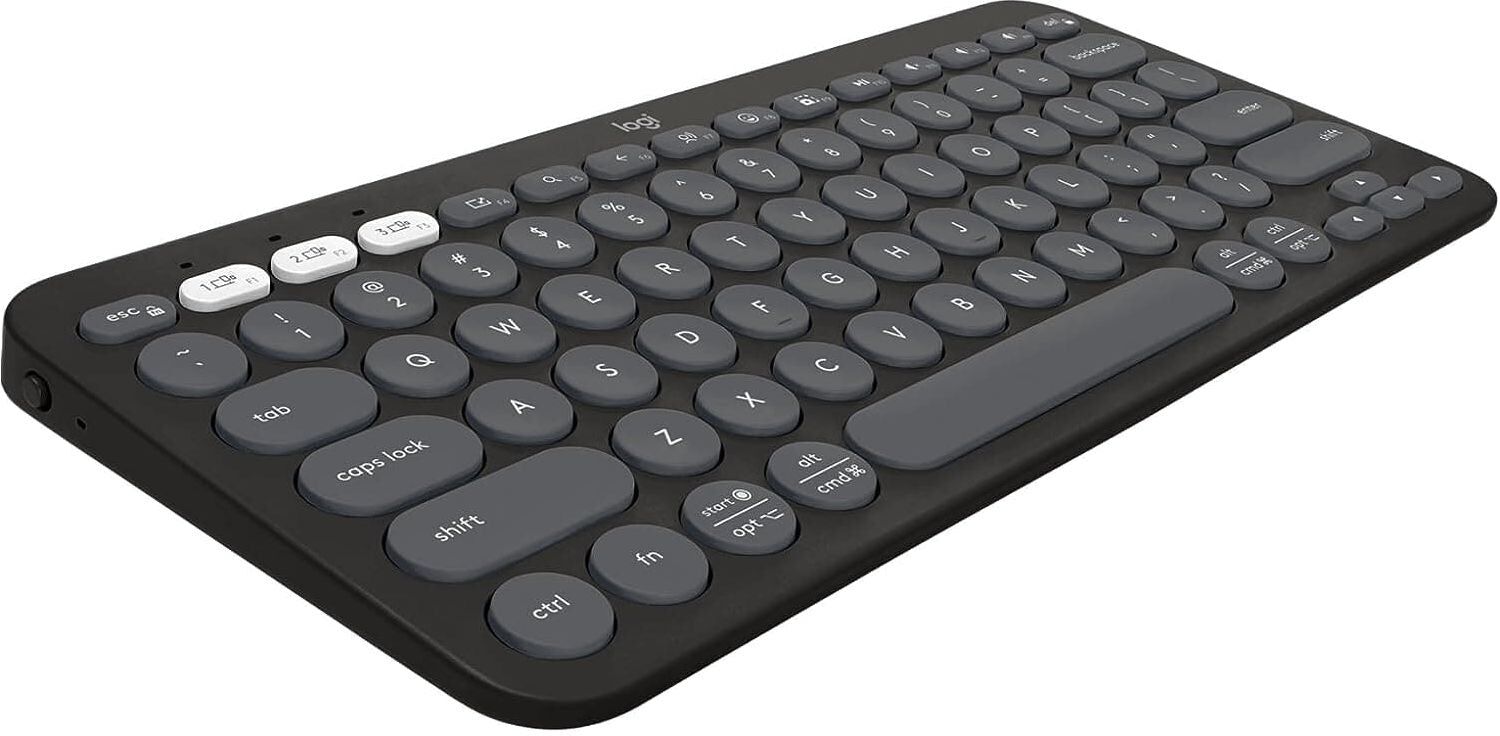
Logitech Pebble Keys 2 K380S Wireless Keyboard Graphite, NewProduct Overview: The Logitech Pebble Keys 2 K380s is a multi-device Bluetooth wireless keyboard designed for seamless typing and efficient multitasking. Compact and slim, this keyboard features easy-switch buttons, allowing you to effortlessly switch between up to three devices such as Windows, macOS, iPadOS, Android, and Chrome OS. The QWERTY UK layout and customisable shortcuts ensure enhanced productivity, while its graphite finish adds a sleek and modern touch to your workspace. Ideal for home offices, remote work, or travel, this keyboard offers comfort, portability, and style all in one. Product Description: Boost your productivity with the Logitech Pebble Keys 2 K380s Bluetooth keyboard. Featuring easy-switch functionality, customisable shortcuts, and a slim, portable design, this multi-device keyboard is perfect for seamless use with Windows, macOS, iPadOS, Android, and Chrome OS devices. The QWERTY UK layout and graphite finish provide comfort and style for all your typing needs. Key Features: Multi-Device Bluetooth Connectivity: Connect and switch between up to three devices effortlessly. Customisable Shortcuts: Personalise shortcuts for faster access to your favourite applications and functions. Slim and Portable Design: Lightweight and compact, perfect for working on the go or in limited space. QWERTY UK Layout: Familiar keyboard layout for efficient typing in English. Easy-Switch Buttons: Instantly toggle between connected devices with one click. Compatibility Across Platforms: Works seamlessly with Windows, macOS, iPadOS, Android, and Chrome OS. Quiet Typing Experience: Low-profile keys for a smooth, quiet typing experience. Up to 2 Years Battery Life: Powered by two AAA batteries, with an extended battery life to minimise interruptions. Graphite Finish: Sleek, modern design that fits with any workspace or personal style. Elevate your workflow with the Logitech Pebble Keys 2 K380s, the multi-device Bluetooth wireless keyboard that ensures seamless device switching and customisation at your fingertips. Easy-switch buttons allow you to effortlessly transition between up to three devices, including Windows, macOS, iPadOS, Android, and Chrome OS. Featuring a QWERTY UK layout, customisable shortcuts, and a slim, portable design, this keyboard enhances productivity while delivering quiet, comfortable typing. The graphite finish and extended battery life make it a perfect choice for remote work, business use, or on-the-go productivity. Logitech Pebble Keys 2 K380s Bluetooth keyboard Multi-device Bluetooth keyboard UK layout Compact wireless keyboard Easy-switch keyboard for Windows, macOS, iPadOS Slim portable keyboard with custom shortcuts Quiet typing wireless keyboard Logitech K380s multi-device keyboard QWERTY UK layout Bluetooth keyboard Best keyboard for travel and home office Logitech wireless keyboard with long battery life. EAN: 509920611061835,00 £*Shipping: 0,00 £Secure redirect to the provider
-
Logitech PRO X TKL Wireless Gaming Keyboard - White, NewDesigned with pros, Engineered to win, PRO X TKL is the next generation of the trusted tenkeyless PRO keyboard, Through collaborative design with the world’s top esports athletes, it’s been refined to eliminate every barrier between you and the win Play with tournament-proven speed and reliability of LIGHTSPEED wireless, Connect compatible mouse and PRO X TKL with the LIGHTSPEED adapter for a powerful connection PRO-grade tech: game mode control, standard keyboard layouts for 3P compatibility, media controls and volume roller, RGB lighting with LIGHTSYNC, and LIGHTSPEED, Bluetooth, USB options Featuring GX Brown tactile switches. Brand Logitech G Compatible devices Laptop Connectivity technology Bluetooth, USB Keyboard description Gaming Recommended uses for product Gaming Special feature Volume Roller Colour White Style Wireless Included components USB Cable Model name G PRO X TKL LIGHTSPEED99,99 £*Shipping: 0,00 £Secure redirect to the provider
-
Logitech Pebble 2 MK380 Wireless Keyboard & Mouse Set - OffwhiteOverview The Logitech Pebble 2 MK380 Wireless Keyboard & Mouse Set is designed for modern, flexible working. With a slim, lightweight profile and ultra-quiet operation, it’s perfect for home, office, or on-the-go use. Reliable wireless connectivity and long battery life ensure a clutter-free, productive setup, while the minimalist off-white finish adds a clean, stylish touch to any workspace. Key Features Wireless Keyboard & Mouse Combo – Seamless, clutter-free desk setup Slim & Lightweight Design – Easy to carry and ideal for compact workspaces Quiet Typing & Clicking – Reduced noise for focused work environments Comfortable Typing Experience – Low-profile keys for smooth, natural typing High-Precision Mouse – Accurate tracking for everyday productivity Reliable Wireless Connectivity – Stable connection with compatible devices Long Battery Life – Designed for extended use without frequent battery changes Off-White Finish – Minimalist, modern aesthetic Benefits Enhances productivity with a quiet, distraction-free typing experience Saves desk space thanks to its slim, compact design Ideal for working in shared spaces or on the move Reduces cable clutter for a cleaner setup Comfortable for long typing and browsing sessions Stylish design complements modern devices and interiors Specifications Table Specification Details Model Logitech Pebble 2 MK380 Product Type Wireless Keyboard & Mouse Set Connectivity Wireless Keyboard Type Low-profile, quiet keys Mouse Type Compact wireless mouse Noise Level Quiet typing & clicking Battery Life Long-lasting (keyboard & mouse) Compatibility Windows, macOS, ChromeOS, iPadOS, Android Colour Off-White Use Type Home, Office, Travel49,00 £*Shipping: 0,00 £Secure redirect to the provider



-
Is the Logitech Combo Touch keyboard worth it for the iPad?
The Logitech Combo Touch keyboard is worth it for the iPad if you are looking for a versatile keyboard case that offers a good typing experience and protection for your device. It features a trackpad, backlit keys, and a detachable keyboard, making it a great option for those who use their iPad for work or school. Additionally, the adjustable kickstand allows for multiple viewing angles, enhancing the overall user experience. Overall, if you value functionality and productivity, the Logitech Combo Touch keyboard is a worthwhile investment for your iPad. **
-
How do I connect my Logitech Wireless Keyboard model Y-RK49 to my laptop?
To connect your Logitech Wireless Keyboard model Y-RK49 to your laptop, you will need to follow these steps: 1. Turn on the keyboard by sliding the power switch to the "on" position. 2. Press the "Connect" button on the bottom of the keyboard to enter pairing mode. 3. On your laptop, go to the Bluetooth settings and search for available devices. 4. Select the Logitech Wireless Keyboard from the list of available devices and follow the on-screen instructions to complete the pairing process. Once the pairing is successful, you should be able to use your Logitech Wireless Keyboard with your laptop. **
-
Cable or wireless keyboard?
The choice between a cable or wireless keyboard ultimately depends on personal preference and specific needs. A cable keyboard provides a reliable and stable connection without the need for batteries or charging, making it a good option for those who prioritize consistency. On the other hand, a wireless keyboard offers more flexibility and freedom of movement, which can be beneficial for those who value a clutter-free workspace or frequently switch between devices. Ultimately, it comes down to individual preferences in terms of convenience, mobility, and reliability. **
-
Which wireless keyboard is good?
There are many good wireless keyboards available on the market, but some popular options include the Logitech K780 Multi-Device Wireless Keyboard, the Apple Magic Keyboard, and the Microsoft Surface Keyboard. These keyboards are known for their reliable wireless connectivity, comfortable typing experience, and long battery life. It's important to consider your specific needs and preferences, such as keyboard layout, key travel, and compatibility with your devices, when choosing the best wireless keyboard for you. **


What is a wireless keyboard 2?
A wireless keyboard 2 is a type of keyboard that connects to a computer or other device using wireless technology, such as Bluetooth or RF. This allows the keyboard to be used without the need for a physical connection, providing more flexibility and convenience for the user. Wireless keyboards 2 often have features such as a slim design, long battery life, and customizable keys for a more efficient typing experience. **
How does a wireless keyboard work?
A wireless keyboard uses radio frequency (RF) or Bluetooth technology to communicate with the computer or device it is connected to. When a key is pressed on the keyboard, the corresponding signal is sent wirelessly to a receiver connected to the computer. The receiver then translates the signal into the appropriate keystroke, allowing the input to be registered on the screen. This wireless communication eliminates the need for a physical connection between the keyboard and the computer, providing more flexibility and convenience to the user. **
Top-Angebote
Products related to Logitech-Wireless-Touch-Keyboard:
-
Logitech Wireless Touch Keyboard K400 Wireless Keyboard With Touchpad - BlackDescription The Logitech Wireless Touch Keyboard K400 combines a keyboard with a built-in multi-touch touchpad for convenient control from a distance. It is designed for people who want to control a laptop connected to a TV, including while browsing the web from the couch. Quiet keys with bold, easy-to-read characters support comfortable typing, while the large 3.5-inch touchpad provides multi-touch navigation for easier web browsing. The wireless connection offers a range of up to 10 metres, or 33 feet, and uses a tiny Logitech Unifying wireless receiver that plugs into a laptop's USB port. The keyboard works with Windows XP, Windows Vista, Windows 7 and Windows 8, as well as Windows 8 RT. An essential addition for home entertainment setups, TV-connected laptops and convenient wireless web browsing.74,99 £*Shipping: 0,00 £Secure redirect to the provider
-
Logitech MX Keys S Wireless Keyboard BlackWireless keyboard with rechargeable Li-Po battery offering up to 5 months of battery life without backlighting or 10 days with backlighting enabled. Compatible with Windows, Mac, iPadOS, Android, ChromeOS, and Linux via Bluetooth or Logi Bolt USB receiver. Features programmable F-row keys, numerical keypad, and simultaneous connection to up to 3 devices.81,99 £*Shipping: 0,00 £Secure redirect to the provider
-
Logitech Folio Touch Keyboard Case for iPad Air - GreyDescription Protect and type on your iPad Air with the Logitech Folio Touch Keyboard Case. Designed for iPad Air users who want a UK QWERTY keyboard layout in a folio-style accessory, it is made for the 10.9-inch 4th and 5th generation iPad Air models. The Folio Touch combines an iPad Air folio design with a UK QWERTY keyboard, providing a practical setup for typing on compatible iPad Air devices. Its grey finish gives the accessory a neutral appearance, while the stated dimensions of 25.6 x 2.1 x 18.9 cm make its size clear for planning storage and use. Weighing 643 g and supplied as one item, this Logitech accessory is designed around the 10.9-inch iPad Air. An essential addition for iPad Air users who need a UK QWERTY typing solution in a folio-style format.135,99 £*Shipping: 0,00 £Secure redirect to the provider
-
Logitech Pebble Keys 2 K380S Wireless Keyboard Graphite, NewProduct Overview: The Logitech Pebble Keys 2 K380s is a multi-device Bluetooth wireless keyboard designed for seamless typing and efficient multitasking. Compact and slim, this keyboard features easy-switch buttons, allowing you to effortlessly switch between up to three devices such as Windows, macOS, iPadOS, Android, and Chrome OS. The QWERTY UK layout and customisable shortcuts ensure enhanced productivity, while its graphite finish adds a sleek and modern touch to your workspace. Ideal for home offices, remote work, or travel, this keyboard offers comfort, portability, and style all in one. Product Description: Boost your productivity with the Logitech Pebble Keys 2 K380s Bluetooth keyboard. Featuring easy-switch functionality, customisable shortcuts, and a slim, portable design, this multi-device keyboard is perfect for seamless use with Windows, macOS, iPadOS, Android, and Chrome OS devices. The QWERTY UK layout and graphite finish provide comfort and style for all your typing needs. Key Features: Multi-Device Bluetooth Connectivity: Connect and switch between up to three devices effortlessly. Customisable Shortcuts: Personalise shortcuts for faster access to your favourite applications and functions. Slim and Portable Design: Lightweight and compact, perfect for working on the go or in limited space. QWERTY UK Layout: Familiar keyboard layout for efficient typing in English. Easy-Switch Buttons: Instantly toggle between connected devices with one click. Compatibility Across Platforms: Works seamlessly with Windows, macOS, iPadOS, Android, and Chrome OS. Quiet Typing Experience: Low-profile keys for a smooth, quiet typing experience. Up to 2 Years Battery Life: Powered by two AAA batteries, with an extended battery life to minimise interruptions. Graphite Finish: Sleek, modern design that fits with any workspace or personal style. Elevate your workflow with the Logitech Pebble Keys 2 K380s, the multi-device Bluetooth wireless keyboard that ensures seamless device switching and customisation at your fingertips. Easy-switch buttons allow you to effortlessly transition between up to three devices, including Windows, macOS, iPadOS, Android, and Chrome OS. Featuring a QWERTY UK layout, customisable shortcuts, and a slim, portable design, this keyboard enhances productivity while delivering quiet, comfortable typing. The graphite finish and extended battery life make it a perfect choice for remote work, business use, or on-the-go productivity. Logitech Pebble Keys 2 K380s Bluetooth keyboard Multi-device Bluetooth keyboard UK layout Compact wireless keyboard Easy-switch keyboard for Windows, macOS, iPadOS Slim portable keyboard with custom shortcuts Quiet typing wireless keyboard Logitech K380s multi-device keyboard QWERTY UK layout Bluetooth keyboard Best keyboard for travel and home office Logitech wireless keyboard with long battery life. EAN: 509920611061835,00 £*Shipping: 0,00 £Secure redirect to the provider
-
How do I reinsert the spacebar on a Logitech wireless keyboard?
To reinsert the spacebar on a Logitech wireless keyboard, first locate the metal stabilizer bars on the keyboard where the spacebar attaches. Then, align the spacebar keycap with the stabilizer bars and gently press down until it snaps back into place. Make sure the keycap is securely attached and functions properly by testing it out. If you encounter any difficulties, refer to the keyboard's user manual for specific instructions. **
-
How do I reinsert the space bar on a Logitech wireless keyboard?
To reinsert the space bar on a Logitech wireless keyboard, first locate the metal stabilizer clips on the keyboard where the space bar will attach. Then, position the space bar over the stabilizer clips and press down firmly until it snaps into place. Make sure the clips are securely holding the space bar in place before testing it out. If you are having trouble, refer to the keyboard's manual or contact Logitech customer support for assistance. **
-
Is the Logitech Combo Touch keyboard worth it for the iPad?
The Logitech Combo Touch keyboard is worth it for the iPad if you are looking for a versatile keyboard case that offers a good typing experience and protection for your device. It features a trackpad, backlit keys, and a detachable keyboard, making it a great option for those who use their iPad for work or school. Additionally, the adjustable kickstand allows for multiple viewing angles, enhancing the overall user experience. Overall, if you value functionality and productivity, the Logitech Combo Touch keyboard is a worthwhile investment for your iPad. **
-
How do I connect my Logitech Wireless Keyboard model Y-RK49 to my laptop?
To connect your Logitech Wireless Keyboard model Y-RK49 to your laptop, you will need to follow these steps: 1. Turn on the keyboard by sliding the power switch to the "on" position. 2. Press the "Connect" button on the bottom of the keyboard to enter pairing mode. 3. On your laptop, go to the Bluetooth settings and search for available devices. 4. Select the Logitech Wireless Keyboard from the list of available devices and follow the on-screen instructions to complete the pairing process. Once the pairing is successful, you should be able to use your Logitech Wireless Keyboard with your laptop. **
Similar search terms for Logitech-Wireless-Touch-Keyboard
-
Logitech PRO X TKL Wireless Gaming Keyboard - White, NewDesigned with pros, Engineered to win, PRO X TKL is the next generation of the trusted tenkeyless PRO keyboard, Through collaborative design with the world’s top esports athletes, it’s been refined to eliminate every barrier between you and the win Play with tournament-proven speed and reliability of LIGHTSPEED wireless, Connect compatible mouse and PRO X TKL with the LIGHTSPEED adapter for a powerful connection PRO-grade tech: game mode control, standard keyboard layouts for 3P compatibility, media controls and volume roller, RGB lighting with LIGHTSYNC, and LIGHTSPEED, Bluetooth, USB options Featuring GX Brown tactile switches. Brand Logitech G Compatible devices Laptop Connectivity technology Bluetooth, USB Keyboard description Gaming Recommended uses for product Gaming Special feature Volume Roller Colour White Style Wireless Included components USB Cable Model name G PRO X TKL LIGHTSPEED99,99 £*Shipping: 0,00 £Secure redirect to the provider
-
Logitech Pebble 2 MK380 Wireless Keyboard & Mouse Set - OffwhiteOverview The Logitech Pebble 2 MK380 Wireless Keyboard & Mouse Set is designed for modern, flexible working. With a slim, lightweight profile and ultra-quiet operation, it’s perfect for home, office, or on-the-go use. Reliable wireless connectivity and long battery life ensure a clutter-free, productive setup, while the minimalist off-white finish adds a clean, stylish touch to any workspace. Key Features Wireless Keyboard & Mouse Combo – Seamless, clutter-free desk setup Slim & Lightweight Design – Easy to carry and ideal for compact workspaces Quiet Typing & Clicking – Reduced noise for focused work environments Comfortable Typing Experience – Low-profile keys for smooth, natural typing High-Precision Mouse – Accurate tracking for everyday productivity Reliable Wireless Connectivity – Stable connection with compatible devices Long Battery Life – Designed for extended use without frequent battery changes Off-White Finish – Minimalist, modern aesthetic Benefits Enhances productivity with a quiet, distraction-free typing experience Saves desk space thanks to its slim, compact design Ideal for working in shared spaces or on the move Reduces cable clutter for a cleaner setup Comfortable for long typing and browsing sessions Stylish design complements modern devices and interiors Specifications Table Specification Details Model Logitech Pebble 2 MK380 Product Type Wireless Keyboard & Mouse Set Connectivity Wireless Keyboard Type Low-profile, quiet keys Mouse Type Compact wireless mouse Noise Level Quiet typing & clicking Battery Life Long-lasting (keyboard & mouse) Compatibility Windows, macOS, ChromeOS, iPadOS, Android Colour Off-White Use Type Home, Office, Travel49,00 £*Shipping: 0,00 £Secure redirect to the provider
-
Logitech Pebble 2 MK380 Wireless Keyboard & Mouse Set - RoseOverview Stay productive in style with the Logitech Pebble 2 MK380 Wireless Keyboard & Mouse Set (Rose) — a sleek, compact combo designed for quiet working, portability, and modern multi-device flexibility. With its minimalist design, low-profile keys and silent clicking, this set is perfect for home working, studying, or travelling. Enjoy smooth wireless connectivity, effortless switching between devices, and a comfortable typing and scrolling experience — all in a premium rose finish that looks great on any desk setup. Key Features Wireless keyboard + mouse combo with a clean, modern slim design Quiet typing and silent clicking ideal for shared spaces and offices Multi-device support – pair and switch between multiple devices Compact, lightweight build perfect for travel and small desks Bluetooth wireless connectivity for stable, clutter-free performance Comfortable low-profile keys for fast and accurate typing Optical mouse tracking for smooth cursor control on most surfaces Long battery life for reliable daily use with minimal charging/replacements Stylish Rose colour for a standout desktop look Benefits Work without distraction thanks to quiet keys and silent mouse clicks Save space with a compact keyboard layout and slim mouse design Switch seamlessly between devices for work and personal use Reduce cable clutter with reliable Bluetooth wireless connectivity Ideal for commuting, hot-desking and travel due to lightweight portability Upgrade your setup with a stylish, matching keyboard and mouse set Specifications Table Specification Details Brand Logitech Model Pebble 2 MK380 Type Wireless Keyboard & Mouse Set Colour Rose Connectivity Bluetooth Wireless Keyboard Style Slim / Compact Noise Level Quiet keys / silent click mouse Mouse Sensor Optical tracking Multi-Device Yes (device switching supported) Power Battery-powered (long-life performance) Compatibility Windows, macOS, ChromeOS, iPadOS, Android (device dependent) Ideal Use Home office, study, travel, everyday productivity58,87 £*Shipping: 0,00 £Secure redirect to the provider
-
Logitech K400 Plus Wireless Touch TV Keyboard with Built-in Touchpad, Media Controls, QWERTY UK Layout - Black, NewThe Logitech K400 Plus wireless keyboard provides comfortable, integrated control for your PC-to-TV entertainment setup. With a built-in touchpad, media controls, and a long-lasting battery life, this keyboard offers seamless navigation and convenience for your smart TV, laptop, or PC. Media-Friendly Design: Control your PC-to-TV entertainment with ease, eliminating the need for a separate keyboard and mouse. Plug-and-Play: Simply plug in the USB receiver, and the keyboard is ready to use. Customize settings with Logitech Options software. Long Battery Life: Enjoy up to 18 months of power, with an on/off button to extend battery life further. Wireless Freedom: 10-meter wireless range ensures seamless control and comfort, with quiet keys and a large multi-touch trackpad for smooth navigation. Broad Compatibility: Works with Windows 7 and later, Android 7 or later, and Chrome OS, making it a versatile option for various devices. Durable and Spill-Resistant: Built to withstand minor spills and provide reliable performance over time. Brand: Logitech Compatible Devices: Laptop, Smart TV, PC Connectivity Technology: RF Wireless Keyboard Layout: QWERTY, UK Special Features: Spill-Proof, Multi-Touch Trackpad, Long Battery Life Number of Keys: 104 Colour: Black Dimensions: Standard size39,99 £*Shipping: 0,00 £Secure redirect to the provider
-
Cable or wireless keyboard?
The choice between a cable or wireless keyboard ultimately depends on personal preference and specific needs. A cable keyboard provides a reliable and stable connection without the need for batteries or charging, making it a good option for those who prioritize consistency. On the other hand, a wireless keyboard offers more flexibility and freedom of movement, which can be beneficial for those who value a clutter-free workspace or frequently switch between devices. Ultimately, it comes down to individual preferences in terms of convenience, mobility, and reliability. **
-
Which wireless keyboard is good?
There are many good wireless keyboards available on the market, but some popular options include the Logitech K780 Multi-Device Wireless Keyboard, the Apple Magic Keyboard, and the Microsoft Surface Keyboard. These keyboards are known for their reliable wireless connectivity, comfortable typing experience, and long battery life. It's important to consider your specific needs and preferences, such as keyboard layout, key travel, and compatibility with your devices, when choosing the best wireless keyboard for you. **
-
What is a wireless keyboard 2?
A wireless keyboard 2 is a type of keyboard that connects to a computer or other device using wireless technology, such as Bluetooth or RF. This allows the keyboard to be used without the need for a physical connection, providing more flexibility and convenience for the user. Wireless keyboards 2 often have features such as a slim design, long battery life, and customizable keys for a more efficient typing experience. **
-
How does a wireless keyboard work?
A wireless keyboard uses radio frequency (RF) or Bluetooth technology to communicate with the computer or device it is connected to. When a key is pressed on the keyboard, the corresponding signal is sent wirelessly to a receiver connected to the computer. The receiver then translates the signal into the appropriate keystroke, allowing the input to be registered on the screen. This wireless communication eliminates the need for a physical connection between the keyboard and the computer, providing more flexibility and convenience to the user. **
* All prices are inclusive of VAT and, if applicable, plus shipping costs. The offer information is based on the details provided by the respective shop and is updated through automated processes. Real-time updates do not occur, so deviations can occur in individual cases. ** Note: Parts of this content were created by AI.