Buy deviled.com ?
We are moving the project
deviled.com .
Are you interested in purchasing the domain
deviled.com ?
domain@kv-gmbh.de · 0541-91531010
Buy deviled.com ?
Who is familiar with LG Smart TVs?
People who are interested in technology and home entertainment are likely to be familiar with LG Smart TVs. Additionally, those who have purchased or used LG Smart TVs in the past would also be familiar with them. Tech enthusiasts, home theater enthusiasts, and individuals who keep up with the latest developments in consumer electronics are also likely to be familiar with LG Smart TVs. **
How can I restart my LG Smart TV?
To restart your LG Smart TV, you can simply unplug the TV from the power outlet, wait for a few seconds, and then plug it back in. Alternatively, you can also use the remote control to navigate to the Settings menu, select General, and then choose Reset to restart the TV. If you are experiencing issues with your TV, restarting it can often help resolve minor problems and improve performance. **


Similar search terms for LG-PuriCare-360-Smart
Top-Angebote
Products related to LG-PuriCare-360-Smart:
-
LG PuriCare 25-Pint Energy Star Certified Smart Dehumidifier, Wi-Fi, Continuous Drain Option, Quiet OperationKeep indoor humidity under control with the LG Dehumidifier. Built for efficiency, this ENERGY STAR® rated unit offers smart control through LG ThinQ® Wi-Fi, allowing you to adjust settings from anywhere.209,00 $*Shipping: 0,00 $Secure redirect to the provider
-
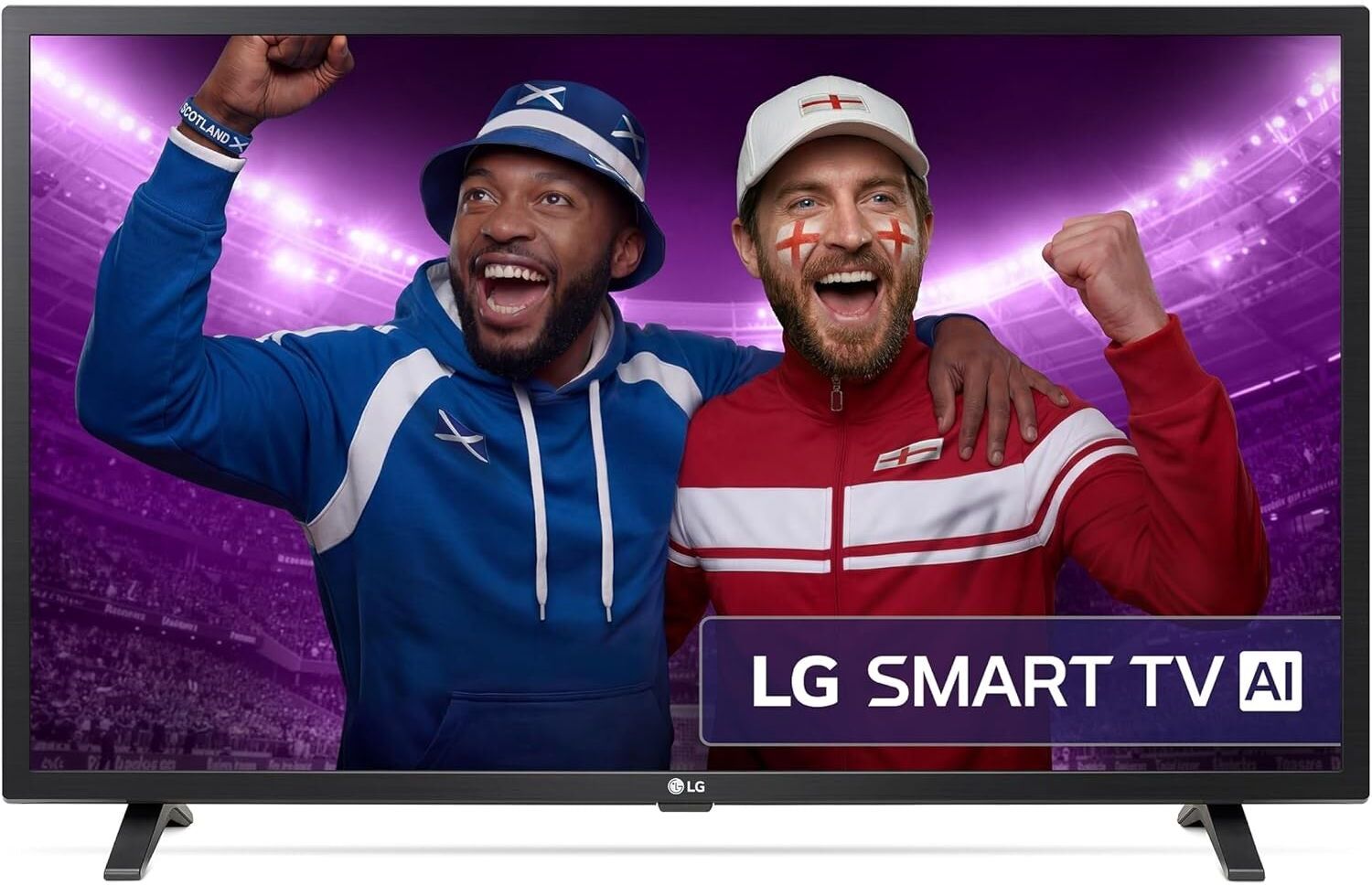
LG LQ63 32” HD Smart TV, New.gadcet-pdp{--g-green:#00a651;color:#1f2430;line-height:1.55;font-size:inherit;max-width:760px}.gadcet-pdp>*:first-child{margin-top:0}.gadcet-pdp p{margin:0 0.9em}.gadcet-pdp h3{font-size:1.05em;font-weight:600;color:#11161f;margin:1.4em 0.5em;padding-left:.5em;border-left:3px solid var(--g-green);border-radius:0;line-height:1.3}.gadcet-pdp ul{list-style:none!important;margin:0 0.9em;padding:0!important}.gadcet-pdp ul li{position:relative;padding:.1em 0.1em 1.5em;margin:0}.gadcet-pdp ul li::before{content:"";position:absolute;left:.16em;top:.45em;width:.36em;height:.66em;border:solid var(--g-green);border-width:0.14em.14em 0;transform:rotate(45deg)}.gadcet-pdp table{width:100%;border-collapse:collapse;margin:.3em 0 1em;font-size:.95em;border:1px solid #e7e9ee!important;border-radius:8px;overflow:hidden}.gadcet-pdp table td{padding:.5em.8em;border-bottom:1px solid #eef0f4!important;vertical-align:top}.gadcet-pdp table tr:last-child td{border-bottom:0!important}.gadcet-pdp table tr:nth-child(even){background:#f7f9f8}.gadcet-pdp table td:first-child{font-weight:600;color:#454c59;width:40%}@media (max-width:600px){.gadcet-pdp table td:first-child{width:42%}} Enjoy programmes, films, streaming apps and games on the compact LG LQ63 32-inch HD Smart TV. Its clear HD picture, intelligent processing and easy-to-use webOS platform make it a practical choice for smaller spaces. Key Features 32-inch Direct LED HD display with a 50Hz refresh rate α5 Gen5 AI Processor adjusts picture and sound automatically HDR10 and HLG support for improved colour, brightness and contrast LG webOS 22 provides access to popular entertainment apps; separate subscriptions may be required Freeview Play combines live television and catch-up services AI Sound with virtual 5.1 up-mix and Clear Voice Pro Game Optimiser, Game Dashboard and HGiG support Wi-Fi, Bluetooth 5.0 and Apple AirPlay 2 connectivity Benefits Compact size fits neatly into bedrooms, kitchens, offices and flats AI Brightness Control adapts the screen brightness to your room Quick access to streaming, live television and catch-up entertainment Connect compatible wireless audio devices or share content from Apple devices Specifications Brand LG Model 32LQ630B6LA Product range LQ63 / LQ630B Screen size 32 inches Display Direct LED HD Refresh rate 50Hz Processor α5 Gen5 AI Processor HDR HDR10 and HLG Smart platform LG webOS 22 Wireless connectivity Wi-Fi and Bluetooth 5.0 Smart compatibility LG ThinQ, Apple AirPlay 2 and Apple HomeKit Audio output Optical digital audio HDMI control Simplink HDMI-CEC Dimensions with stand 736 × 464 × 180mm Dimensions without stand 736 × 437 × 82.9mm Weight Approximately 4.7kg Wall-mount size VESA 200 × 200mm Energy rating G Colour Black EAN 8806091638366 What You'll Receive An LG LQ63 32-inch HD Smart TV in your selected condition: New, Used Like New, Used Very Good or Used Good. Ideal For Ideal for bedrooms, kitchens, offices, student accommodation, flats and other smaller spaces where...199,00 £*Shipping: 0,00 £Secure redirect to the provider
-
LG US20A Smart Soundbar with 2.0 Channel - BlackDescription The LG US20A Smart Soundbar features a 2.0 channel design, making it suitable for anyone looking to enhance their television's audio experience. This soundbar delivers immersive stereo sound complemented by deep bass, ensuring a rich audio experience. With Dolby Audio, the sound quality is optimised for various content, while the AI Sound Pro technology automatically adjusts the audio settings based on the type of content being played. The WOW Interface allows for seamless control with compatible LG TVs. An essential addition for anyone seeking to elevate their home entertainment setup.124,99 £*Shipping: 0,00 £Secure redirect to the provider
-
LG 55NU800B6LA Nano UHD AI NU80 4K Smart TV - BlackDescription The LG 55NU800B6LA Nano UHD AI NU80 4K Smart TV combines sharp 4K images with smart entertainment features and an immersive cinema-style design. It is designed for viewers who want streaming, films, television and responsive gaming in one large-screen display. Nano detail Enhancer is powered by the α7 AI Processor Gen9 to produce sharp images, while the minimal-bezel cinema screen design helps create a more immersive viewing experience. HDR10 and Filmmaker Mode support the cinema-focused picture experience, with 60Hz refresh for everyday viewing. The smart webOS platform provides access to favourite streaming services, while Google Cast and Apple AirPlay 2 offer convenient ways to share or stream content. Game Optimiser and VRR are included for responsive, smooth gaming. An essential addition for living rooms, home cinema setups and gaming spaces.324,99 £*Shipping: 0,00 £Secure redirect to the provider



-
Which smart TV is better: Grundig or LG?
Both Grundig and LG are reputable brands in the smart TV market, but LG is generally considered to be the better option. LG smart TVs are known for their high-quality display, user-friendly interface, and wide range of smart features. Additionally, LG offers a larger selection of models and sizes to choose from. While Grundig also offers good quality smart TVs, LG is often the preferred choice for those looking for a reliable and feature-rich smart TV. **
-
Why can't the LG Smart TV find regular channels?
The LG Smart TV may not be able to find regular channels because it relies on an internet connection to access content. Traditional channels are typically received through an antenna or cable connection, which the Smart TV may not be equipped to detect. Additionally, the TV may need to be properly set up or programmed to scan for over-the-air channels. It is recommended to check the TV's settings, connections, and run a channel scan to ensure it can find regular channels. **
-
Why doesn't the LG Smart TV find regular channels?
LG Smart TVs do not find regular channels because they do not have a built-in tuner like traditional TVs. Instead, they rely on internet connectivity to stream content from various apps and services. To access regular channels, users would need to connect an external antenna or cable/satellite box to the TV. Additionally, some LG Smart TVs may require a separate set-top box or digital converter to access over-the-air channels. **
-
What is your question about the LG Smart TV?
My question about the LG Smart TV is: What are the key features and specifications of the latest model? **

Which browser is available for the LG Smart TV?
The LG Smart TV comes with the webOS platform, which includes a built-in web browser called LG Content Store. This browser allows users to access the internet directly from their TV and browse websites. Additionally, users can also download and install other web browsers from the LG Content Store, such as Google Chrome or Mozilla Firefox, to further customize their browsing experience on the LG Smart TV. **
How can I redownload LG Smart World after uninstalling it on the LG L Bello?
To redownload LG Smart World after uninstalling it on the LG L Bello, you can visit the Google Play Store on your device. Search for "LG Smart World" in the search bar and locate the app. Click on the "Install" button to download and reinstall the app on your device. Once the download is complete, you can open LG Smart World and log in to access its features and content. **
Top-Angebote
Products related to LG-PuriCare-360-Smart:
-
LG PuriCare 360 Smart Air Purifier with 360 True HEPA Filtration, Wi-Fi & Air Quality Monitor for Rooms Up To 2,059 Sq FtEnjoy cleaner indoor air throughout larger living spaces with the LG PuriCare™ 360 Smart Air Purifier, designed with advanced multi-filter filtration and all-around air delivery for powerful everyday performance.299,99 $*Shipping: 0,00 $Secure redirect to the provider
-
LG PuriCare AeroHit Smart Air Purifier with 360 True HEPA Filtration & LED Air Quality Monitor for Rooms Up To 1000 Sq. Ft.Enjoy cleaner indoor air with the LG AeroHit Smart Air Purifier, designed with advanced 360° airflow and True HEPA filtration for powerful everyday performance.199,99 $*Shipping: 0,00 $Secure redirect to the provider
-
LG PuriCare 25-Pint Energy Star Certified Smart Dehumidifier, Wi-Fi, Continuous Drain Option, Quiet OperationKeep indoor humidity under control with the LG Dehumidifier. Built for efficiency, this ENERGY STAR® rated unit offers smart control through LG ThinQ® Wi-Fi, allowing you to adjust settings from anywhere.209,00 $*Shipping: 0,00 $Secure redirect to the provider
-
LG LQ63 32” HD Smart TV, New.gadcet-pdp{--g-green:#00a651;color:#1f2430;line-height:1.55;font-size:inherit;max-width:760px}.gadcet-pdp>*:first-child{margin-top:0}.gadcet-pdp p{margin:0 0.9em}.gadcet-pdp h3{font-size:1.05em;font-weight:600;color:#11161f;margin:1.4em 0.5em;padding-left:.5em;border-left:3px solid var(--g-green);border-radius:0;line-height:1.3}.gadcet-pdp ul{list-style:none!important;margin:0 0.9em;padding:0!important}.gadcet-pdp ul li{position:relative;padding:.1em 0.1em 1.5em;margin:0}.gadcet-pdp ul li::before{content:"";position:absolute;left:.16em;top:.45em;width:.36em;height:.66em;border:solid var(--g-green);border-width:0.14em.14em 0;transform:rotate(45deg)}.gadcet-pdp table{width:100%;border-collapse:collapse;margin:.3em 0 1em;font-size:.95em;border:1px solid #e7e9ee!important;border-radius:8px;overflow:hidden}.gadcet-pdp table td{padding:.5em.8em;border-bottom:1px solid #eef0f4!important;vertical-align:top}.gadcet-pdp table tr:last-child td{border-bottom:0!important}.gadcet-pdp table tr:nth-child(even){background:#f7f9f8}.gadcet-pdp table td:first-child{font-weight:600;color:#454c59;width:40%}@media (max-width:600px){.gadcet-pdp table td:first-child{width:42%}} Enjoy programmes, films, streaming apps and games on the compact LG LQ63 32-inch HD Smart TV. Its clear HD picture, intelligent processing and easy-to-use webOS platform make it a practical choice for smaller spaces. Key Features 32-inch Direct LED HD display with a 50Hz refresh rate α5 Gen5 AI Processor adjusts picture and sound automatically HDR10 and HLG support for improved colour, brightness and contrast LG webOS 22 provides access to popular entertainment apps; separate subscriptions may be required Freeview Play combines live television and catch-up services AI Sound with virtual 5.1 up-mix and Clear Voice Pro Game Optimiser, Game Dashboard and HGiG support Wi-Fi, Bluetooth 5.0 and Apple AirPlay 2 connectivity Benefits Compact size fits neatly into bedrooms, kitchens, offices and flats AI Brightness Control adapts the screen brightness to your room Quick access to streaming, live television and catch-up entertainment Connect compatible wireless audio devices or share content from Apple devices Specifications Brand LG Model 32LQ630B6LA Product range LQ63 / LQ630B Screen size 32 inches Display Direct LED HD Refresh rate 50Hz Processor α5 Gen5 AI Processor HDR HDR10 and HLG Smart platform LG webOS 22 Wireless connectivity Wi-Fi and Bluetooth 5.0 Smart compatibility LG ThinQ, Apple AirPlay 2 and Apple HomeKit Audio output Optical digital audio HDMI control Simplink HDMI-CEC Dimensions with stand 736 × 464 × 180mm Dimensions without stand 736 × 437 × 82.9mm Weight Approximately 4.7kg Wall-mount size VESA 200 × 200mm Energy rating G Colour Black EAN 8806091638366 What You'll Receive An LG LQ63 32-inch HD Smart TV in your selected condition: New, Used Like New, Used Very Good or Used Good. Ideal For Ideal for bedrooms, kitchens, offices, student accommodation, flats and other smaller spaces where...199,00 £*Shipping: 0,00 £Secure redirect to the provider
-
Who is familiar with LG Smart TVs?
People who are interested in technology and home entertainment are likely to be familiar with LG Smart TVs. Additionally, those who have purchased or used LG Smart TVs in the past would also be familiar with them. Tech enthusiasts, home theater enthusiasts, and individuals who keep up with the latest developments in consumer electronics are also likely to be familiar with LG Smart TVs. **
-
How can I restart my LG Smart TV?
To restart your LG Smart TV, you can simply unplug the TV from the power outlet, wait for a few seconds, and then plug it back in. Alternatively, you can also use the remote control to navigate to the Settings menu, select General, and then choose Reset to restart the TV. If you are experiencing issues with your TV, restarting it can often help resolve minor problems and improve performance. **
-
Which smart TV is better: Grundig or LG?
Both Grundig and LG are reputable brands in the smart TV market, but LG is generally considered to be the better option. LG smart TVs are known for their high-quality display, user-friendly interface, and wide range of smart features. Additionally, LG offers a larger selection of models and sizes to choose from. While Grundig also offers good quality smart TVs, LG is often the preferred choice for those looking for a reliable and feature-rich smart TV. **
-
Why can't the LG Smart TV find regular channels?
The LG Smart TV may not be able to find regular channels because it relies on an internet connection to access content. Traditional channels are typically received through an antenna or cable connection, which the Smart TV may not be equipped to detect. Additionally, the TV may need to be properly set up or programmed to scan for over-the-air channels. It is recommended to check the TV's settings, connections, and run a channel scan to ensure it can find regular channels. **
Similar search terms for LG-PuriCare-360-Smart
-
LG US20A Smart Soundbar with 2.0 Channel - BlackDescription The LG US20A Smart Soundbar features a 2.0 channel design, making it suitable for anyone looking to enhance their television's audio experience. This soundbar delivers immersive stereo sound complemented by deep bass, ensuring a rich audio experience. With Dolby Audio, the sound quality is optimised for various content, while the AI Sound Pro technology automatically adjusts the audio settings based on the type of content being played. The WOW Interface allows for seamless control with compatible LG TVs. An essential addition for anyone seeking to elevate their home entertainment setup.124,99 £*Shipping: 0,00 £Secure redirect to the provider
-
LG 55NU800B6LA Nano UHD AI NU80 4K Smart TV - BlackDescription The LG 55NU800B6LA Nano UHD AI NU80 4K Smart TV combines sharp 4K images with smart entertainment features and an immersive cinema-style design. It is designed for viewers who want streaming, films, television and responsive gaming in one large-screen display. Nano detail Enhancer is powered by the α7 AI Processor Gen9 to produce sharp images, while the minimal-bezel cinema screen design helps create a more immersive viewing experience. HDR10 and Filmmaker Mode support the cinema-focused picture experience, with 60Hz refresh for everyday viewing. The smart webOS platform provides access to favourite streaming services, while Google Cast and Apple AirPlay 2 offer convenient ways to share or stream content. Game Optimiser and VRR are included for responsive, smooth gaming. An essential addition for living rooms, home cinema setups and gaming spaces.324,99 £*Shipping: 0,00 £Secure redirect to the provider
-
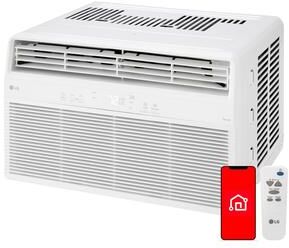
LG 14,000 BTU Window Smart Air Conditioner with Remote - N/AThe LG LW1521ERSM1 is not only cool...it's SMART! Cool your home from anywhere using LG ThinQ technology to control your air conditioner with your phone or use with Amazon Alexa and Hey Google to have control with the sound of your voice.571,99 $*Shipping: 0,00 $Secure redirect to the provider
-
Why doesn't the LG Smart TV find regular channels?
LG Smart TVs do not find regular channels because they do not have a built-in tuner like traditional TVs. Instead, they rely on internet connectivity to stream content from various apps and services. To access regular channels, users would need to connect an external antenna or cable/satellite box to the TV. Additionally, some LG Smart TVs may require a separate set-top box or digital converter to access over-the-air channels. **
-
What is your question about the LG Smart TV?
My question about the LG Smart TV is: What are the key features and specifications of the latest model? **
-
Which browser is available for the LG Smart TV?
The LG Smart TV comes with the webOS platform, which includes a built-in web browser called LG Content Store. This browser allows users to access the internet directly from their TV and browse websites. Additionally, users can also download and install other web browsers from the LG Content Store, such as Google Chrome or Mozilla Firefox, to further customize their browsing experience on the LG Smart TV. **
-
How can I redownload LG Smart World after uninstalling it on the LG L Bello?
To redownload LG Smart World after uninstalling it on the LG L Bello, you can visit the Google Play Store on your device. Search for "LG Smart World" in the search bar and locate the app. Click on the "Install" button to download and reinstall the app on your device. Once the download is complete, you can open LG Smart World and log in to access its features and content. **
* All prices are inclusive of VAT and, if applicable, plus shipping costs. The offer information is based on the details provided by the respective shop and is updated through automated processes. Real-time updates do not occur, so deviations can occur in individual cases. ** Note: Parts of this content were created by AI.